

How to fix shopify http error 404 (100% working) method?

shopify http error 404,how to fix shopify http error 404,shopify http error, 404,shopify http, shopify http error 404 fixed, how to fix shopify http
We should have an overall comprehension of the nuts and bolts of web HTTP conventions. The web is comprised of customers and servers. Customers, for this situation, allude to the programs that you use to get to the Internet - Google Chrome, Safari, Opera, Firefox, and Internet Explorer.
At the point when a client demands a site, the solicitation is shipped off web servers, which then, at that point, reacts. The client makes their solicitation utilizing the HTTP convention.
What is HTTP?
These are principles that all web clients need to concur. At the point when clients make demands, it is status codes that will uncover whether or not the solicitation was fruitful. These status codes is alluded to as HTTP status codes.
There are distinctive HTTP status code blocks:
100 - Generally made of instructive solicitations
200 - Successful solicitations
300 - Used for diverts
404 - Block shows customer blunders
500 - Shows server blunders
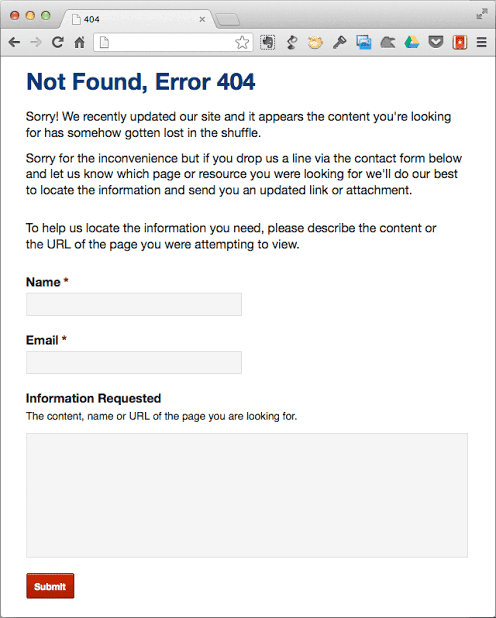
The 404 square implies that a page was not found or the customer sent a solicitation with a specific issue. The issue is coming from the customer's side. The 404 mistake is because of the mentioned page not being found.
404 mistake is a HTTP reaction code that shows the page that a client has mentioned has not been found. It ordinarily shows a message like "page not found" or "The page you are attempting to get to doesn't exist".
[100% fixed] shopify http error 404 (2022) solved
☑️Over the long run you'll refresh, renaming, and erasing pages and items from your Shopify store.
☑️Each time you do that, you hazard losing the list items and quest improvements for the past pages.
☑️That is on the grounds that Google regards every url as an extraordinary page. So regardless of whether you're simply refreshing a current item, in the event that the url changes, Google will think you erased the old page and added a pristine one. They will not comprehend that you just renamed the page. That implies you'll need to sit tight for them to view as the enhanced one.
☑️This is particularly hazardous when you alter assortments since those can affect numerous item pages on the double. That is additionally why I deter Shopify stores from involving assortments in their urls, that can be a ticking SEO bomb simply hanging tight for a mix-up.
☑️The pleasant thing about missing pages is that you can monitor them without any problem.
☑️As a feature of the SEO revive for my own site, I dove into my arrangements of missing pages to begin repairing the ones I've cheated the years.
☑️I haven't seen anything in the Shopify center that tracks missing pages however Google Search Console has a Site Errors report that is an extraordinary asset to chase down these old urls. It's situated in the Crawl > Crawl Errors area.
☑️One proviso: Search Console is more than a little flawed at recognizing these so it will both a) miss pages and b) report issues on pages that are entirely fine. You'll have to do a touch of examination to twofold check each missing page report to check whether it's genuine.
☑️When you observe a missing page in that report, you really want to sort out the way in which Google saw that as.
☑️Click on any of the pages with a mistake and Search Console should open up a subtleties window. In there click the Linked from tab like beneath:
☑️This will show you what urls connect to the invalid page.
☑️On the off chance that every one of them are from your Shopify store, fortune has smiled on you. You can fix this mistake and make it disappear for all time.
☑️Open up every one of those pages recorded for your store,
☑️track down the wrecked connection, and
☑️fix it by transforming it to the new url or one that is similar.
☑️98% of the time you'll have the option to track down a decent substitution url to utilize.
☑️For those occasions you can't, you can connect it to a more nonexclusive page like an assortment or your landing page. You will not recuperate all of the SEO benefits along these lines yet it's better compared to having the page return a 404 blunder.
☑️Assuming the Linked from tab is showing different destinations connecting to a wrecked page, you have two options.
☑️You can email each site and request that they change their connections and highlight the new url. The greater part of these messages will be overlooked so you'll presumably be burning through your time here.
☑️You can arrangement a URL Redirection in Shopify. This will send any guests of the missing page to another url, without losing any of the SEO power.
☑️For my own site I utilized these cycles to tidy up my 404 mistakes. At this point I'm down to around 24 missing pages and I'm beginning to see a slight lift in rush hour gridlock.
☑️It's additionally really great for my guests since they aren't winding up at impasse pages any longer.
☑️Whenever you've fixed each of the missing pages you found, return like clockwork or somewhere in the vicinity. You may observe new missing pages or a few connections that Google missed the initial time around. However, each time the cycle will get more straightforward.